Created: 3/11/24
Updated: 12/6/24
Introduction:
Many people build home labs. Many of those people go out and buy enterprise-grade servers on eBay, they get high-end switches, firewalls, server cages, UPS power banks, and NAS/SAN storage solutions. All of these solutions are pretty cheap in the gently used department, but one thing that is always hidden and not calculated is the “OPx”. “OPx” is short for “Operational Expense” which is a measure of the costs to operate.
All of these enterprise-grade devices use a lot of power and with said power use also comes an HVAC problem of heat. For me, over the past decade, it’s never been so much about the heat but the noise from the cooling fans and the power consumption.
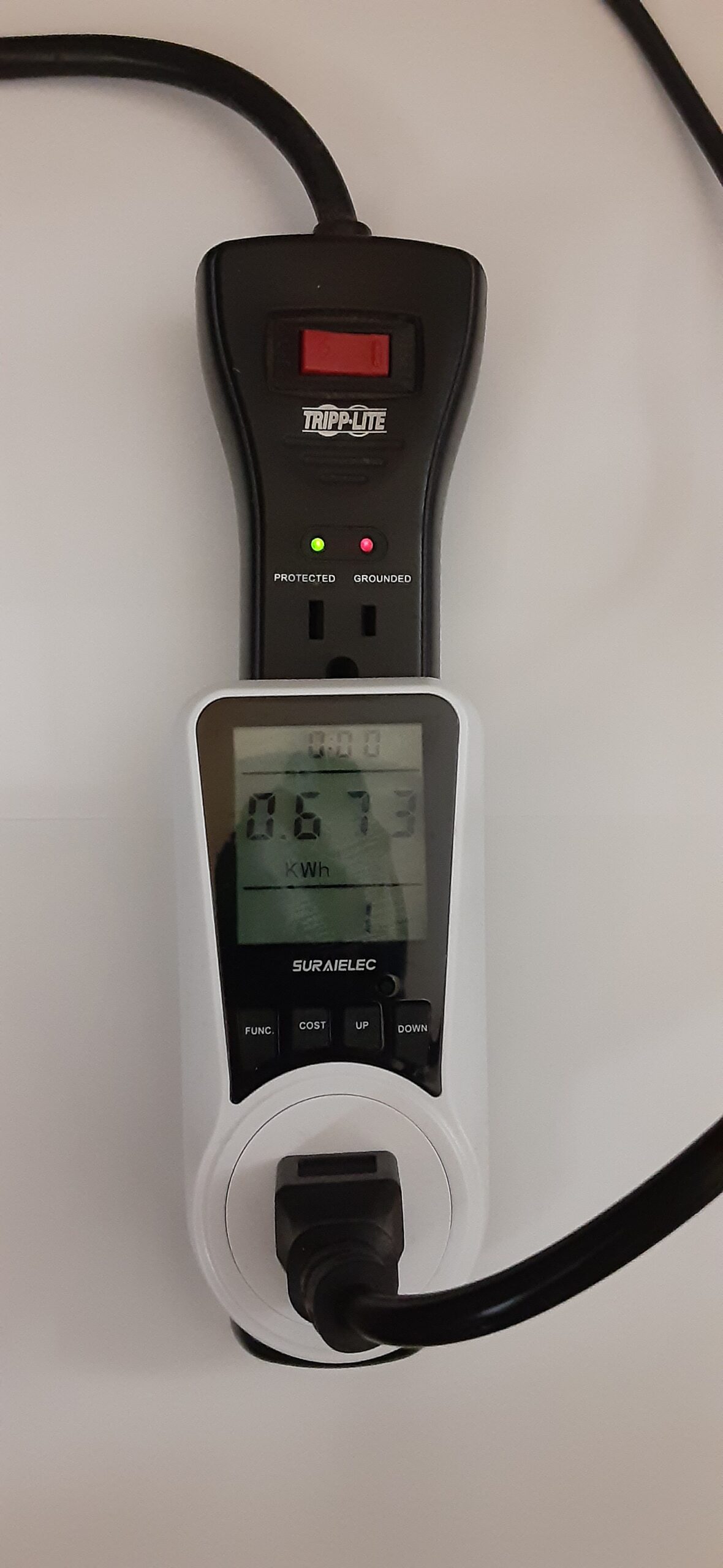
In my previous posting on the power of using Protectli, found: here, I discussed the use of a Protectli VP4670 and how the game changer was 2.5G speeds with a low-powered unit that was fast but had an operational daily KWh usage of a mere 0.673 per day. A typical enterprise-grade server would use 200 times that amount in standby electricity from all of the moving parts like the fans, large memory banks, single or even dual-socket CPUs, and RAID-capable high-capacity hard drives and/or SSDs.
One of the key aspects of these servers that is often overlooked and unused is the storage drives. Most people go out and buy a high-end SAN or a medium/high-end NAS for storage for their home labs, but attached to these units are the overlooked additions of more heat, cooling needs, and electricity requirements. Often most of the hard drives in enterprise server blades/towers go unused, but why not use it for something?
Enter Virtual Storage Area Networking, aka vSAN. One strong option for vSAN is VMware’s vSAN solution. However, to use vSAN you need high networking speeds above gigabit ethernet (1G) since vSAN uses a lot of bandwidth. You can get away with 2.5G when enabling jumbo frames (MTU 9000) but it runs poorly, ideally, you should use 10G or higher speeds.
As mentioned in my previous posting of the Protectli VP4670 it had (6) 2.5G ethernet ports and it opened the doors for using VMware on a Protectli vault. However, recently Protectli released the latest vaults with (2) 10G SFP+ ports. This is HUGE as it opens the doors for many new solutions notably vSAN!
Let’s dive deep into vSAN on a trio of Protectli VP6670s and see how these units perform, let’s begin!
The Hardware: VP6670
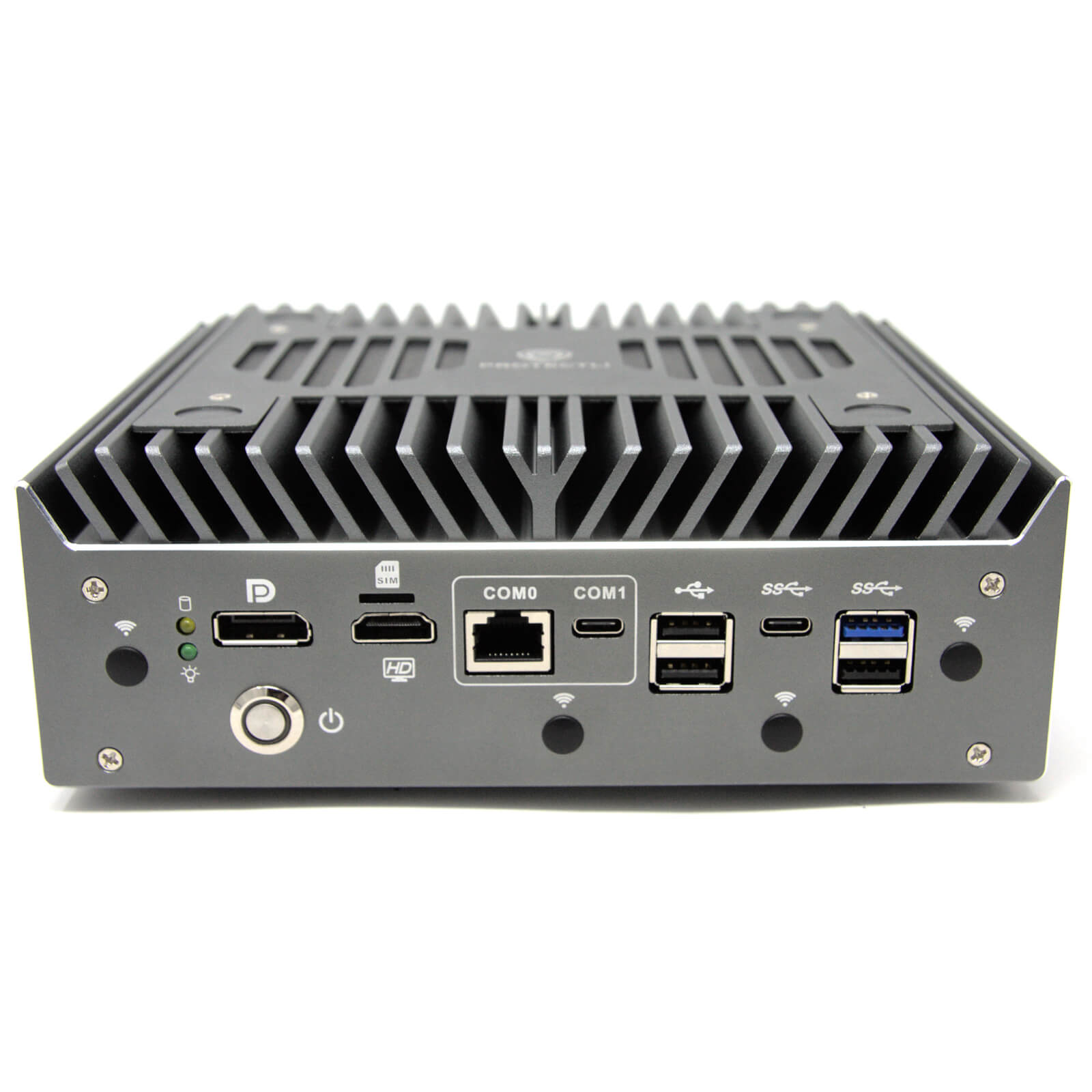
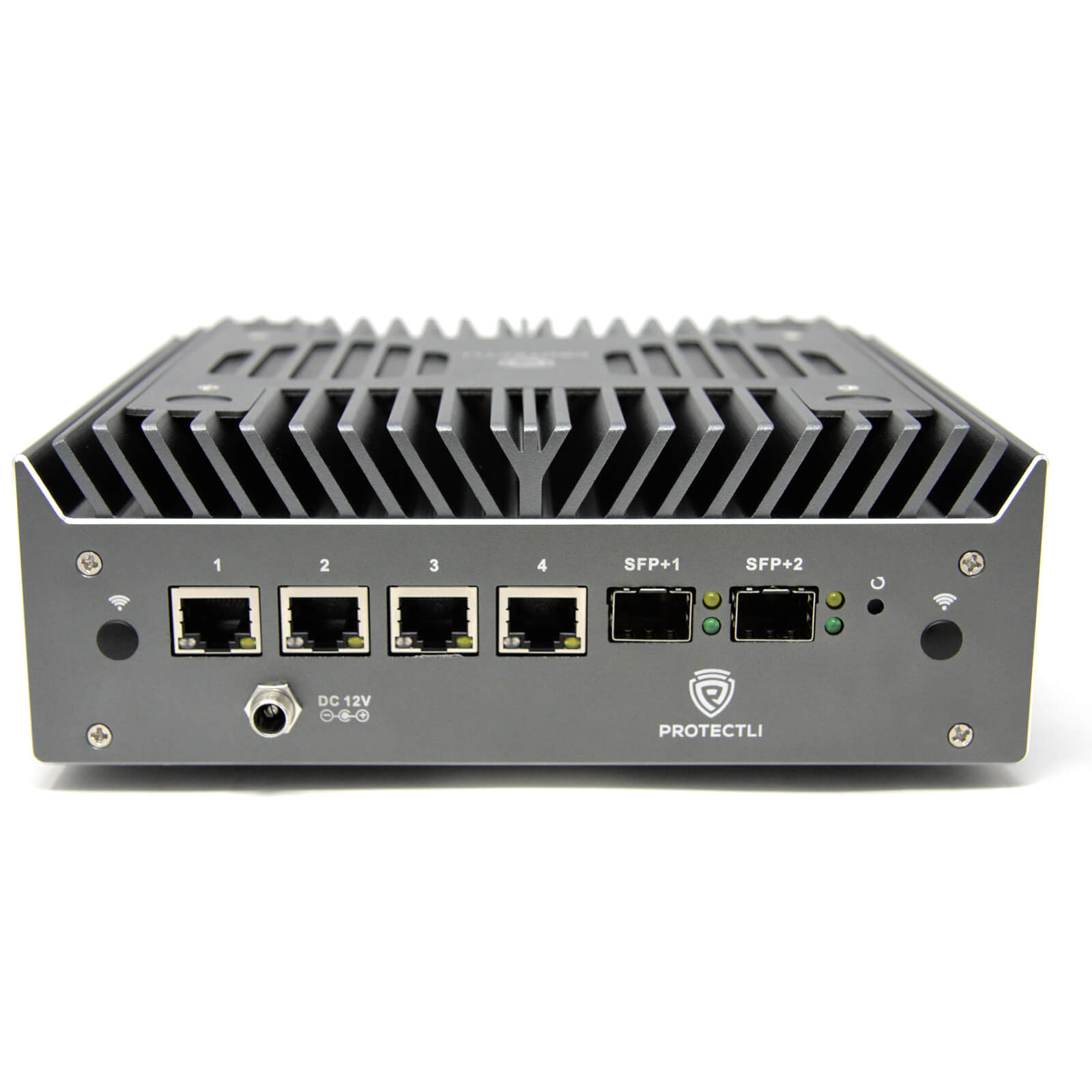
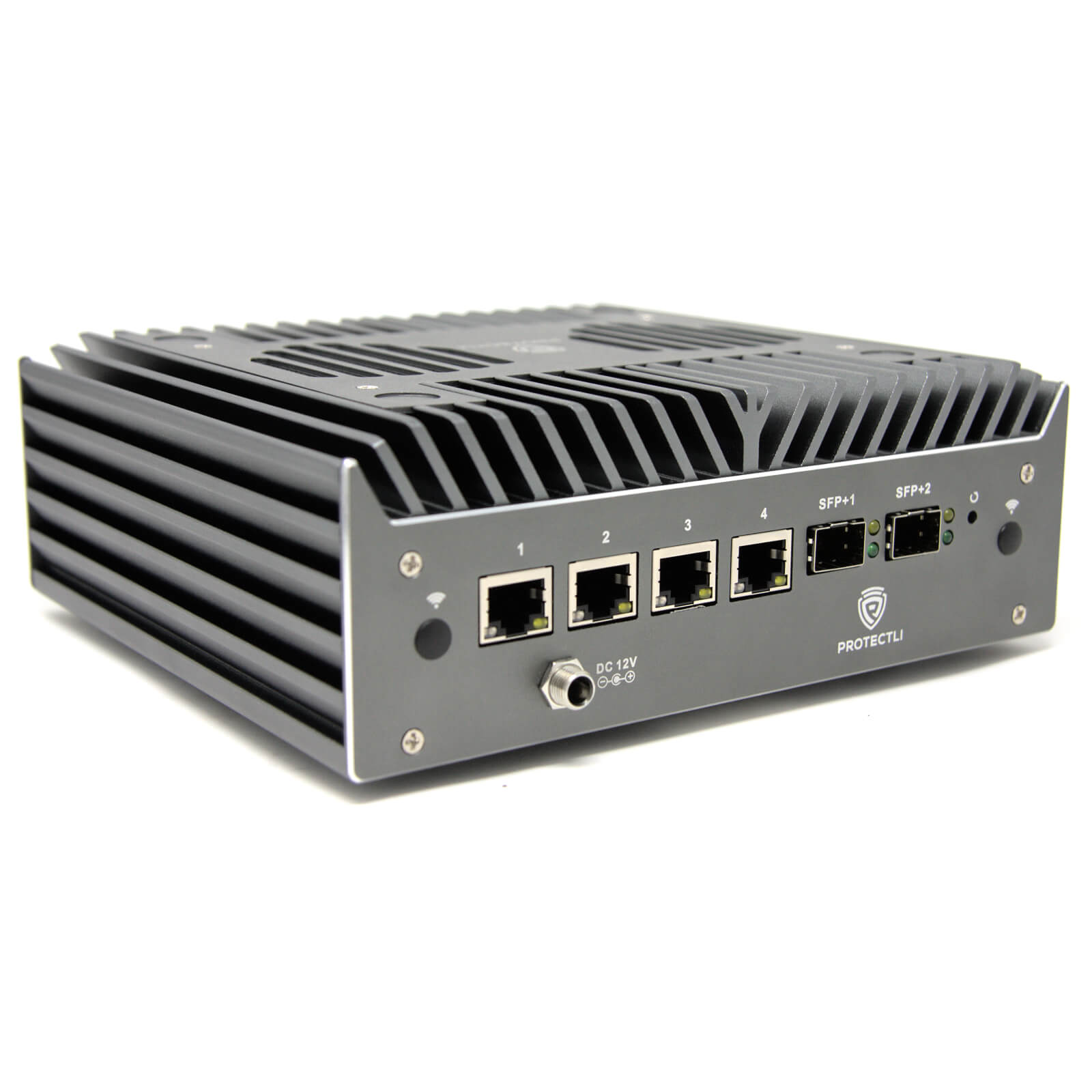
Let’s look at this vault and see how it looks!
Front:
Back:
Side:
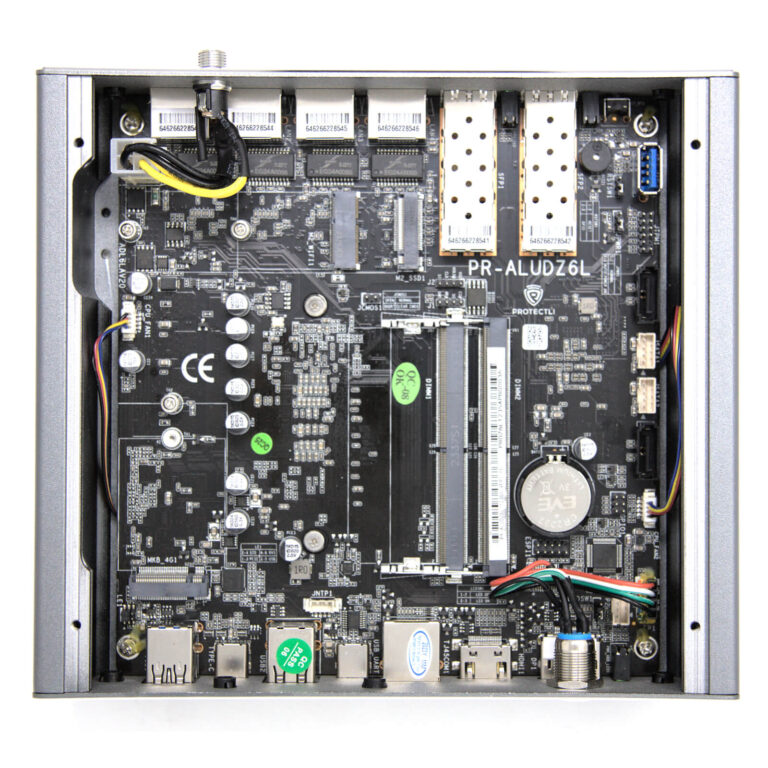
Inside:
Accessories:
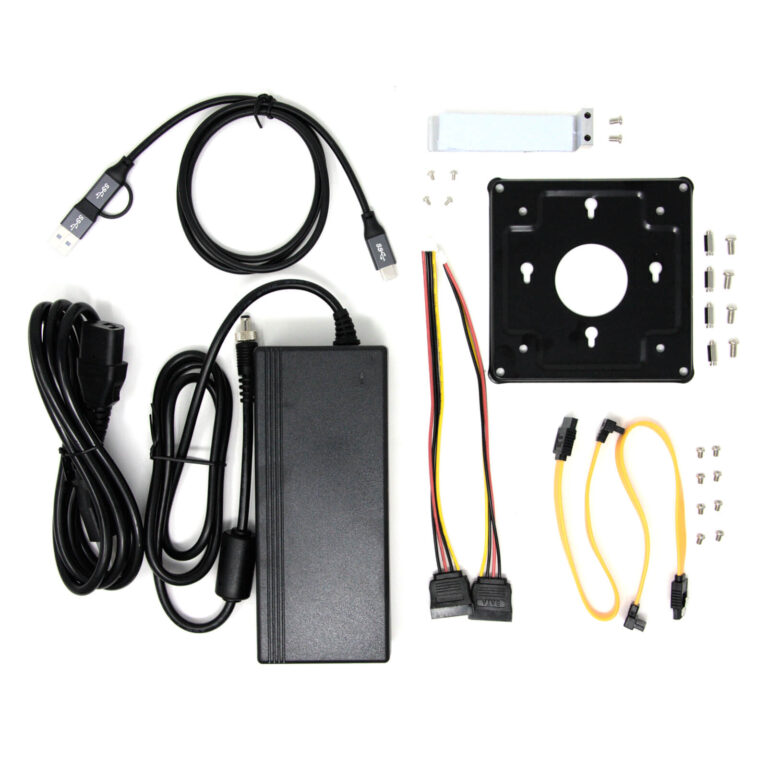
It’s a nice-looking unit, and it is very similar to the VP4670 in many aspects except 2 key areas; 1st is the addition of (2) 10G SFP+ ports with a reduction of (2) 2.5G ports for a total of (4) 2.5G ports vs the VP4670’s (6) 2.5G ports, and the 2nd is the addition of a pair of small fans on the top of the unit to dissipate the heat more effectively.
Lastly, the processor is now a 12th Gen Intel(R) Core(TM) i7-1255U (10C) in the VP6670 vs an Intel(R) Core(TM) i7-10810U CPU @ 1.10GHz (12C) in the VP4670. Both support a max of 64 GBs but unofficially William Lam was able to get 96 GBs to work: here
The Software: ESXi 8.0U3
Each of the VP6670s has VMware ESXi 8.0U3 deployed to them with a pair of 2.5G ports in an LACP trunk configured for vLAN traffic and the pair of 10G ports are configured in a solo active with a solo standby configuration for iSCSI, vMotion, and vSAN traffic over a vDS configured via Center.
Below are examples of the hosts in ESXi 8.0U3:
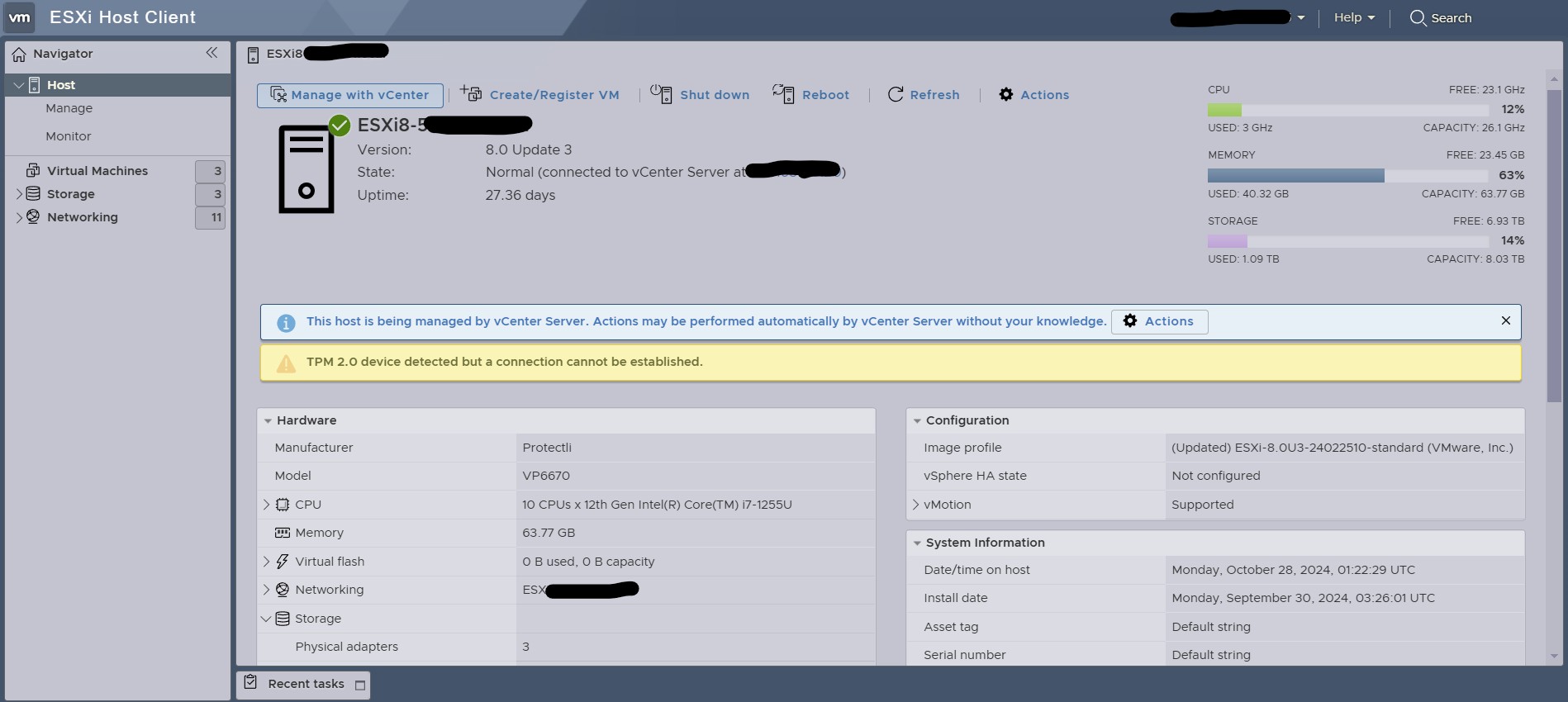
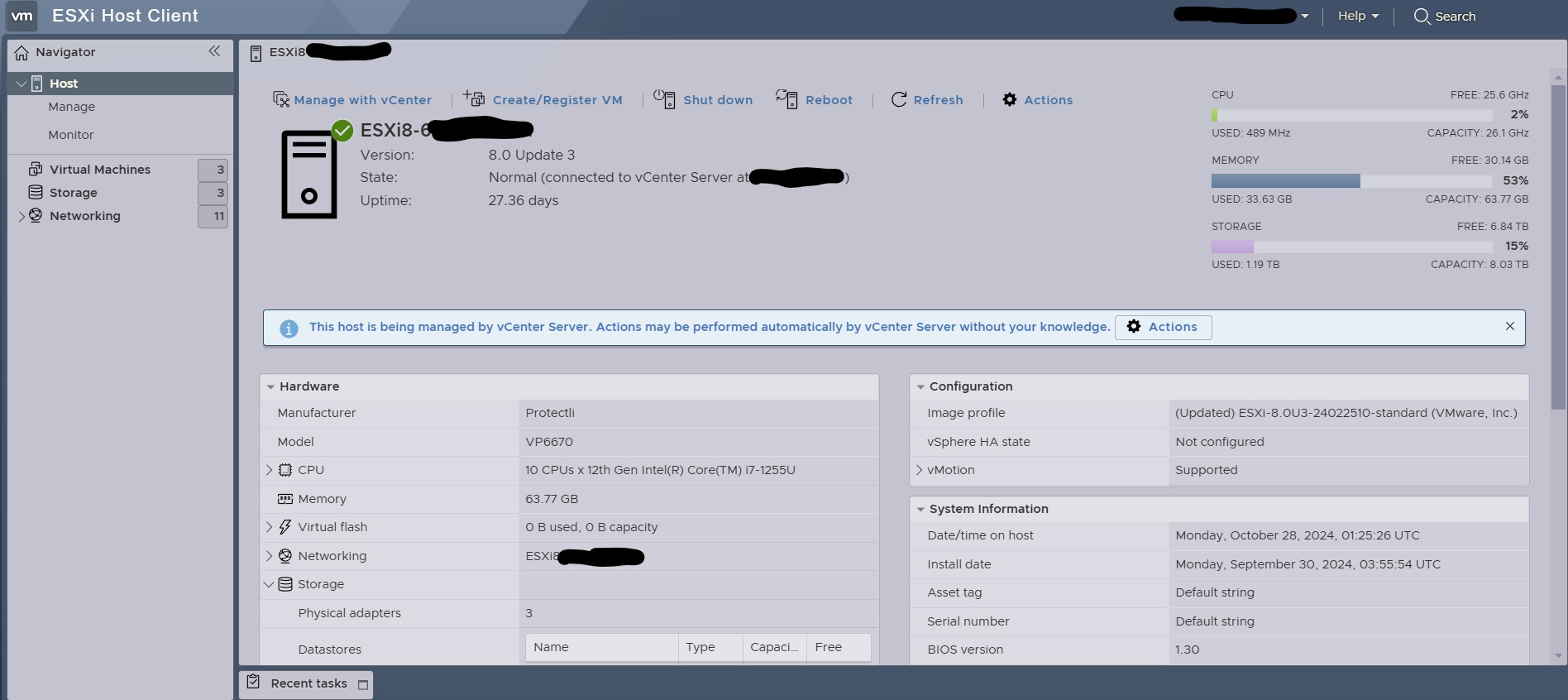
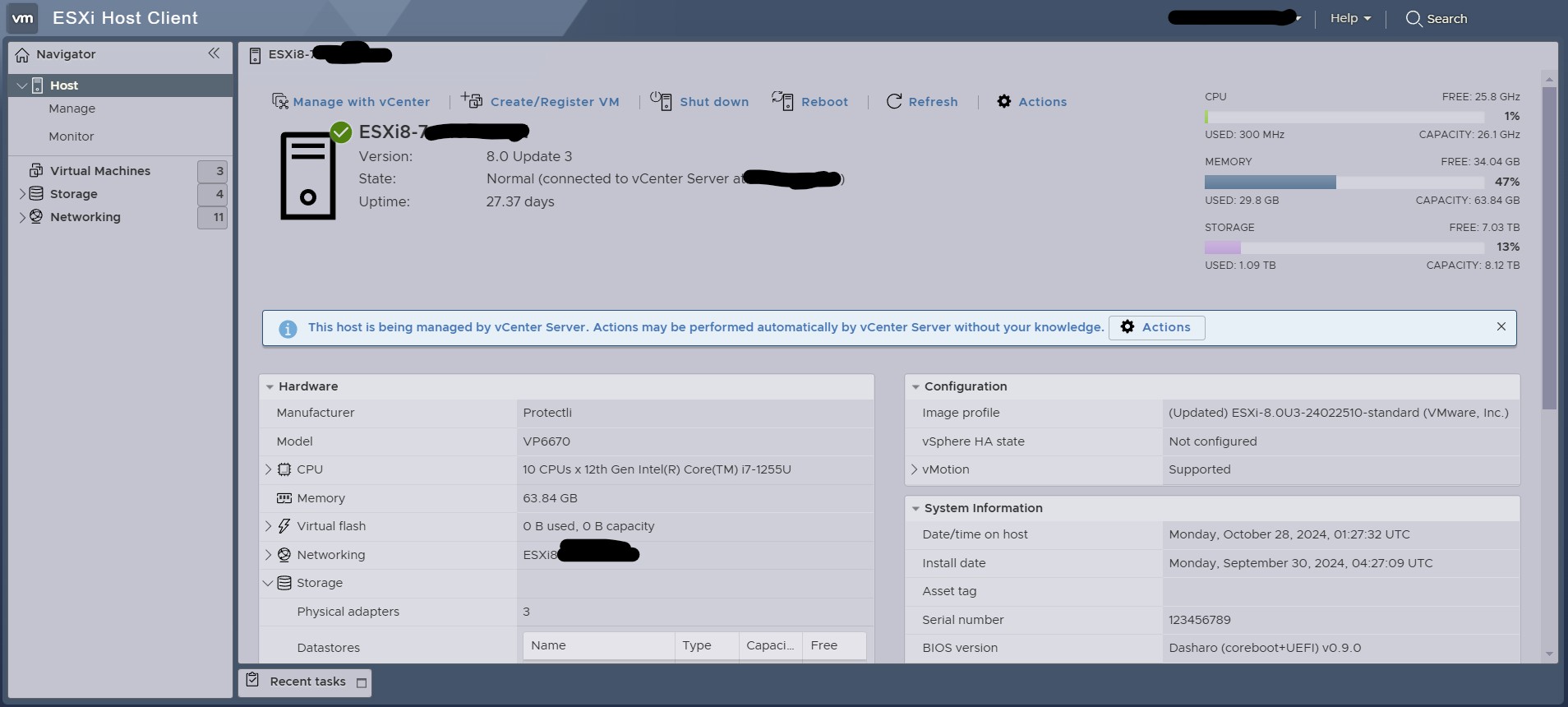
Note: In ESXi 8.* there is a known limitation of TPM chips working with ESXi. The workaround, found: here, works sometimes but not always. This is the reason for the error message on one of the hosts. It’s been successfully mitigated on two of the hosts, but the other host isn’t mitigating the error for whatever reason.
Security: vTPM
The VP6670 does come with a vTPM chip but I’ve been unable to get the chip to work seamlessly with the host. I know William Lam has had more success with this front, but so I’ve not been able to reproduce the same success. I’ve been using a key provider in vCenter to provide encryption and also been applying encryption via vSAN. I’ve also been using VM O/S level encryption.
I know having 3 levels of encryption is poor for performance, but I’d rather be anal than having it only one domain.
The Meat-n-Potatoes: vSAN
This vSAN project had a rocky start. I tried to deploy vSAN with just 2 of these Protectli vaults and use a vSAN witness VM. After several months of trying to get it to work via VMware support articles, the vExpert resources, and also scowering forums to no avail, I gave up. But then my mom was diagnosed with lung cancer and it sidetracked me from this project for several months before I reached out to Protectli that the vSAN witness option wasn’t going to work and ended up needing a 3rd vault to complete the vSAN POC. They happily helped out and provided the hardware requirements.
Presently the vSAN solution has been online now for about 2 months now and holding strong; I’ve sadly been sidetracked as my mom fights her cancer with finishing this article. It’s been a real trying time for her, the family, and lastly; me.
The vSAN is setup with all 3 of the ESXi hosts running ESXi 8.0U3, of the (4) 2.5G network connections two are used for the management vSS switch – two are used for the vLAN traffic in a bonded LACP trunk for 5 Gbps of throughput across numerous vLAN tags, the (2) 10G SPF+ ports are dedicated to the vDS configuration from vCenter for iSCSI, vMotion, and vSAN traffic across 3 separate vLAN tags all using an MTU of 9000. The vLAN traffic goes into a line-rate QNAP 2.5G switch with dual 10G uplinks into my Netgear M4300 16X16F core switch. The vDS traffic for the (2) 10G connections per host feed into an out-of-band Netgear M4300 16X16F switch with iSER over RDMA enabled as the 10G NIC’s on the vaults support RDMA.
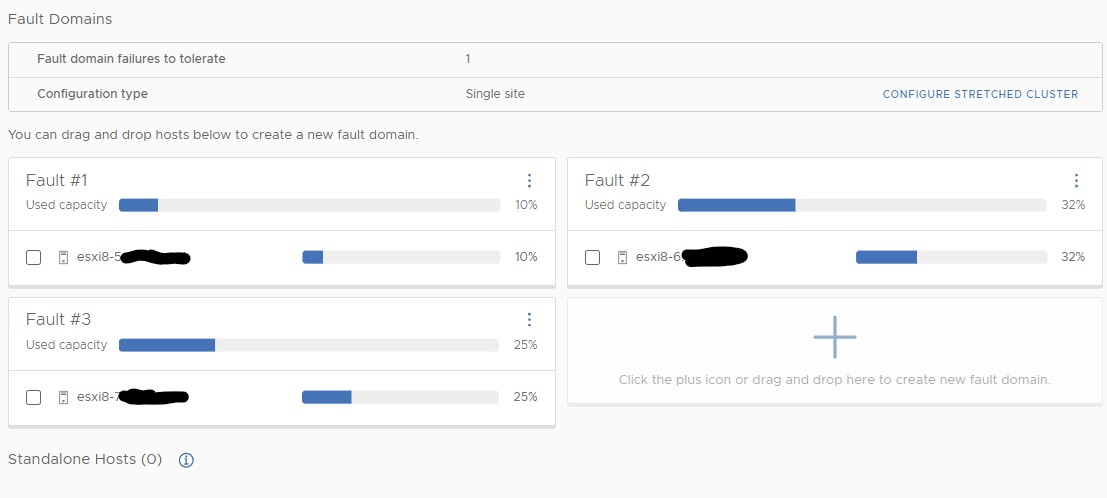
Currently, each one of the VP6670’s is set up as its own fault domain for the vSAN cluster.
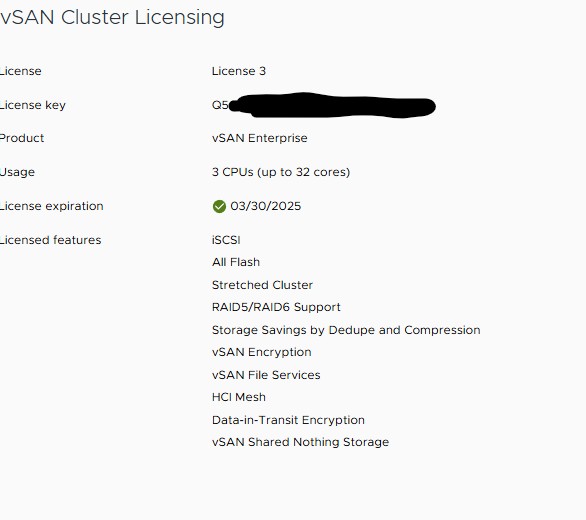
Licensing for vSAN is provided by VMware vExpert licensing:
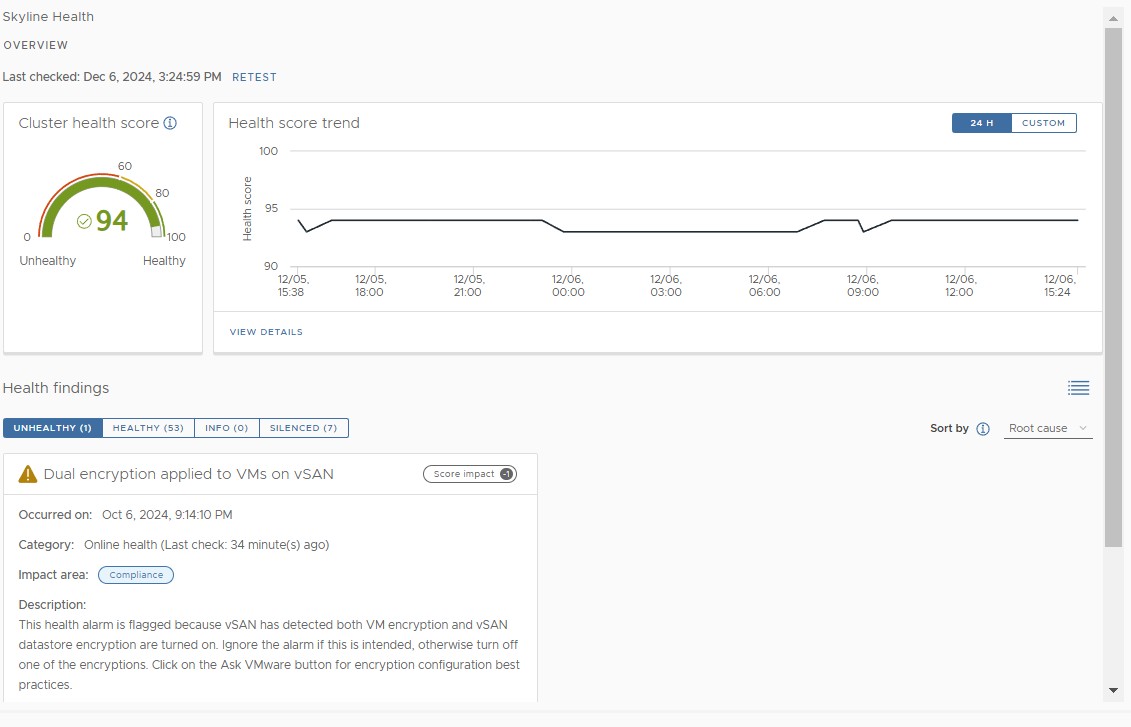
For the most part, the vSAN Skyline Health report is in the 90’s with the already mentioned dual encryption being called out as a con, 54 of the alerts are healthy with the classic cons being false positive alerts.
As done in the VP4670, the transfer speeds from the VM’s that lives in the vSAN cluster are the more or less the same if transferring out of the ESXi hosts since the hosts are limited to 2.5G speeds of the upstream QNAP 2.5G switch on the nics. However, the speed between VM’s that live in vSAN is noticeably faster since the VM’s take advantage of the vSAN 10G east/west traffic plane and the internal vDS 16 GBps back plane.
Here is an example of the transfer speeds of two VM’s that live in the vSAN cluster and are simple swapping the file from one .vmdk to another .vmdk virtual hard drive that both live in the vSAN storage/networking topology:
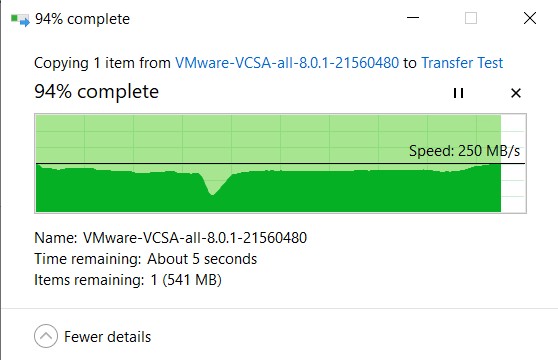
Overall the vSAN solution is performing very well. I’m quite impressed by the efficiency of the Protectli VP6670’s and the power of these little units. They use so little power and don’t produce that much heat. The fact the supports 96GBs of RAM is huge.
Conclusion
I’m quite happy with this vSAN project using these VP6670s as the backbone since they now have dual 10G SFP+ ports. The slight improvements to passive cooling are appreciated. I do like how the power consumption is more or less the same. I’d like to thank the Protectli team for being patient with me this past year; I did not expect my mother to get cancer and it prolonged this article by several months. I’m extremely humbled and thankful for their support and understanding.